
Are you frustrated that Atticus wont export your manuscript as an EPUB file? The button spools endlessly and you’re ready to give up? Here’s a common reason, and it takes less than a minute to fix!
Ever since its release in 2023, the ebook version of my dystopian sci-fi prequel, “Birthright of Scars: Rising” had a pesky typo problem. I swiftly made corrections to the PDF for paperback with Atticus, but could not get Atticus to export to EPUB as in the past. And so, for a couple of years, the paperback version of my story was polished, while the ebook version felt like it had lice.
Atticus support suggested that the illustrations might be weighing down the project. I had three maps, and eight full page images, not to mention, thirty two illustrated chapter headers. But all had been “dieted” sufficiently. Size wasn’t the issue.
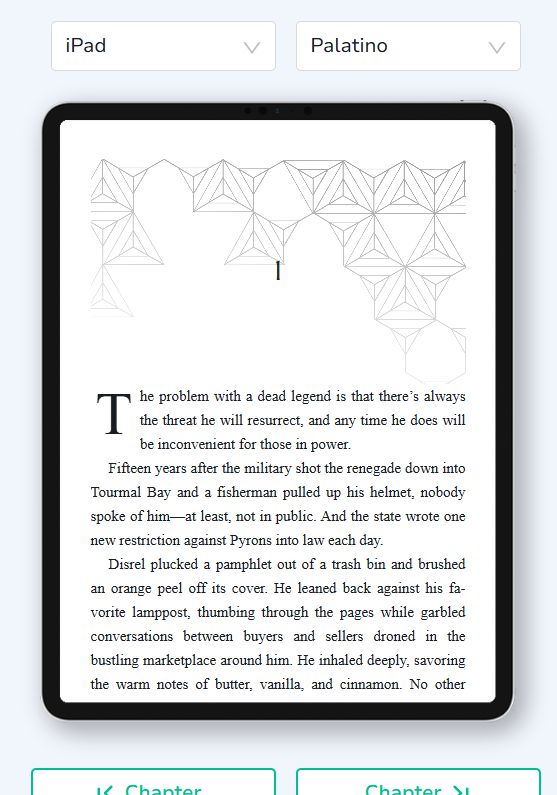
The problem is with a customizable setting in the theme you’re using. Apparently post-update Atticus doesn’t like transparency. It will only export your EPUB if the theme’s background image settings are set at 100% opacity.
Notice how the chapter header artwork is transparent so it doesn’t conflict with my chapter number or text. If you need your chapter header artwork to be somewhat transparent, you’ll need to import it into Atticus as an image that has had transparency pre-applied.
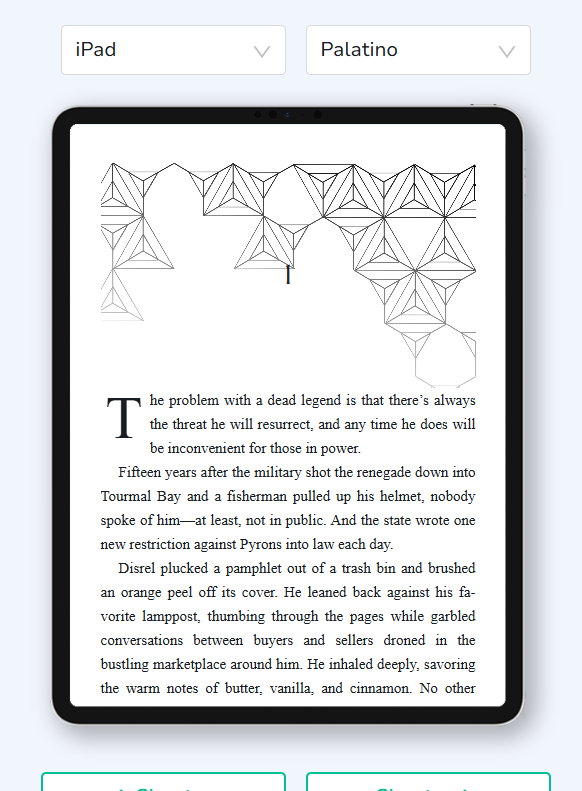
I uploaded my chapter header artwork and later adjusted the image opacity within the Chapter Heading menu of my custom theme. See below, that I had reduced the opacity to 40%.
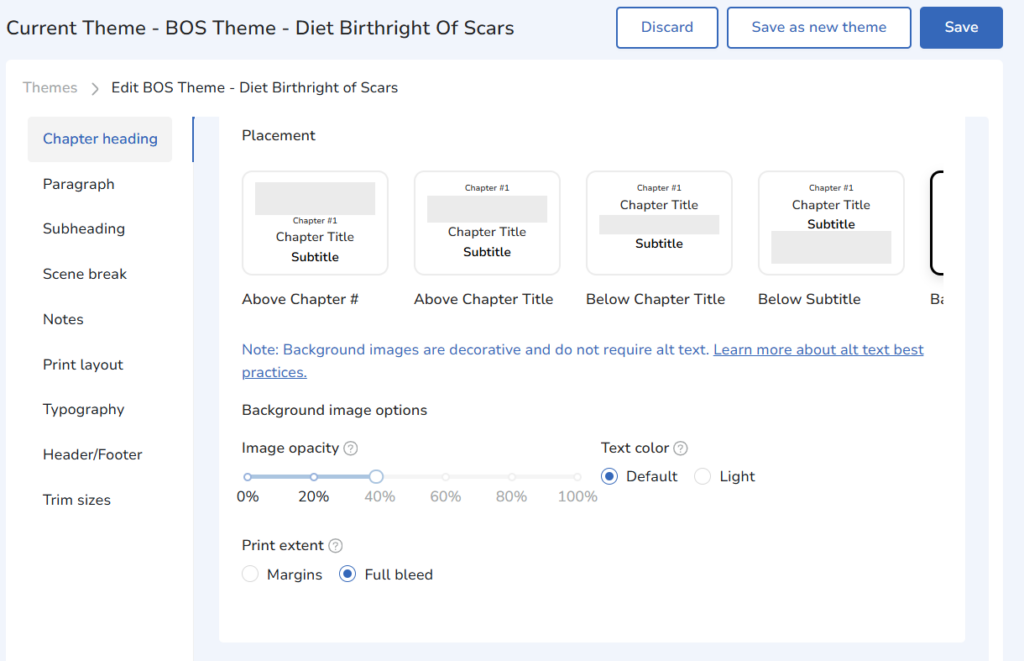
Here is what my Chapter Header artwork looks like at 100% opacity, the opacity of the image as uploaded to my image library.
If I want my ebook’s chapter header art to be faded into the background, I will have to make those changes in another program, and upload the new chapter header art to Atticus’s library.
This is an issue that arose after an Atticus update mid-2023, after I had initially exported an EPUB and published my ebook through KDP and Ingram Spark, with background images set to 40% opacity. And if background image opacity is a feature Atticus offers, the program should be able to handle exporting files with customizations to that feature. Hopefully, this is something Atticus developers will fix quickly, however, I’m not optimistic. The issue has been ongoing for four years now, as indicated by four year old questions on Reddit. I still love using Atticus for its user friendly and intuitive interface. But as someone who could not update my own ebook for three years…I feel your frustration.
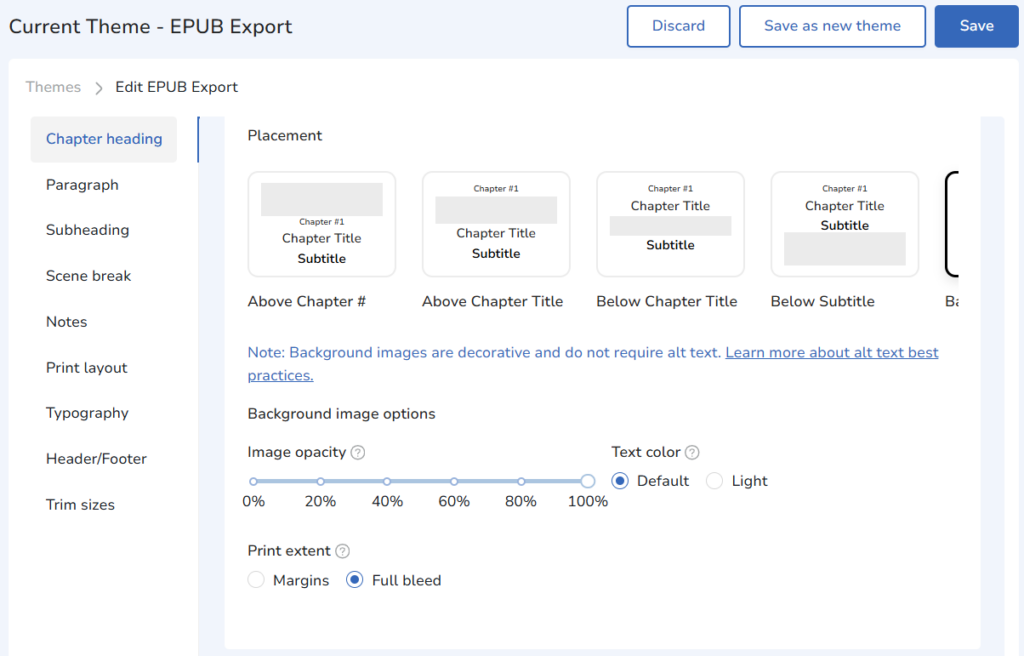
TLDR; Set your theme’s image opacity for Background images to 100%. Then try exporting to EPUB.
This setting is found under “Themes” > Chapter Heading > Background image options > Image opacity as shown in the above image.
Found this article useful? Join my Monthly Newsletter to stay informed and never miss a Blog post.
Laurisa Brandt writes immersive, character-focused speculative fiction balanced with rich world building and romantic subplots. She illustrates her own work and characters, drafting scenes in graphite before painting them digitally, and enjoys pecking out mysterious missives to friends on her 1930s Remington Portable Typewriter. She lives in rural Pennsylvania where she is at work on her next novel.